


Themes · Free
Orbit Ring
The free family: pale ground, thin rules, and a ring breaking the top edge of alternating devices.
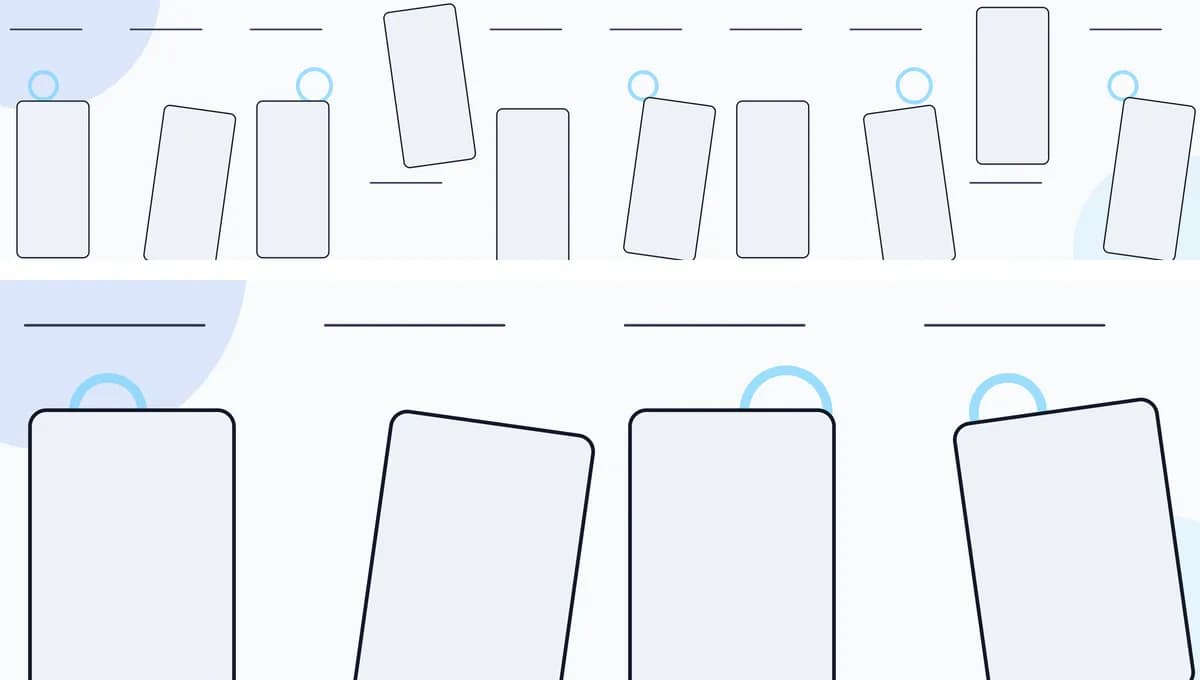
The artwork
The quietest family in the catalog. A pale ground, a thin rule above every panel, and an outlined ring that breaks the top edge of alternating devices. Devices alternate between upright and tilted down the strip.
What it suits
A first set, or an app whose own interface should carry the whole image. Being the free family, it is also the one to reach for when you want a clean export before deciding whether to pay for anything.
Colors are yours
The board above shows the family's design intent. A real project takes your colors: set the primary, accent and background on the project and the artwork is remapped against them, so the same layout can come out navy, warm, or monochrome. The structure is what the family fixes — the palette is not.
What you get
- An iPhone set of 10 panels and an iPad set of 4. Each is one continuous scene, so the artwork carries across that device's panel seams; the two devices are designed separately.
- A placeholder screenshot and headline in every panel, with supporting copy in most of them, ready to be replaced with your own. A family can drop the body text on a panel where the layout calls for it — Prism Fold does on the one that carries two devices.
- Export to flattened RGB PNGs at the sizes App Store Connect accepts.
- Free to export. A verified account includes ten clean outputs per project (one set's worth), for up to two projects.
Other theme families
- Prism Fold (Pro) — Faceted planes in blue and magenta, with devices tilting across the panel seams.
- Terrain Flow (Pro) — Layered green horizons with a coral sun and a route that threads every panel.
- Solar Paper (Pro) — Cut-paper arcs in terracotta and amber, with devices resting in the folds.